On this page
- Built-in AI for Shopify store owners: what you already pay for
- The 10 uses at a glance: effort and expected impact
- 1. AI product descriptions on Shopify: fast drafts, human facts
- 2 and 3. AI product recommendations and search: the cheapest wins
- 4. Demand forecasting with Sidekick’s code tool
- 5. Customer support with the Inbox agent
- 6 and 7. Pricing and fraud: the money-side uses
- 8 to 10. Email, merchandising and analytics with Shopify AI tools
- A 90-day rollout, worked through
- Frequently asked questions
- What we’d do first
The best AI for Shopify store owners in 2027 is mostly already in the admin: Sidekick for store work, AI search and recommendations in the free Search & Discovery app, the Inbox agent for customer chat, Smart Pricing for price tips and Shopify Protect for fraud. Paid apps and custom builds earn their place only where those tools stop.
Most “AI tools for Shopify” lists are written to sell an app. The pattern we see on store audits is the reverse problem: merchants pay for a third-party AI app before switching on the free version Shopify already ships. Below are ten uses, each with an effort level and an expected impact. Where Shopify has published a number, we link it. Where nobody has, we say it is our estimate.
Key takeaways
- Check what you already have. Sidekick, text generation, semantic search, recommendations, Smart Pricing and Protect all ship from Shopify.
- Search is the cheapest win with a published number: Shopify says better predictive suggestions lifted add-to-carts from search by 8% in its Fall ’26 release.
- Fraud is the most underrated use. Shopify puts the full cost of a $100 dispute at about $238, and Protect now drafts dispute responses for you.
- Forecasting and pricing AI gives advice, not answers. Test Sidekick forecasts and Smart Pricing tips on a few SKUs first.
- Custom AI pays off when a job crosses systems (ERP, helpdesk, warehouse) or needs your own rules at volume. Single-store admin chores belong to Sidekick.
Built-in AI for Shopify store owners: what you already pay for
Shopify’s own AI covers more of this list than most merchants realise, so audit it before buying anything. The AI-powered tools section of Shopify’s help center groups it into two parts: Sidekick, the assistant in your admin, and a set of smaller AI features scattered through the admin that used to be marketed as Shopify Magic. Shopify says many of them are free, though availability varies by plan, device and language.
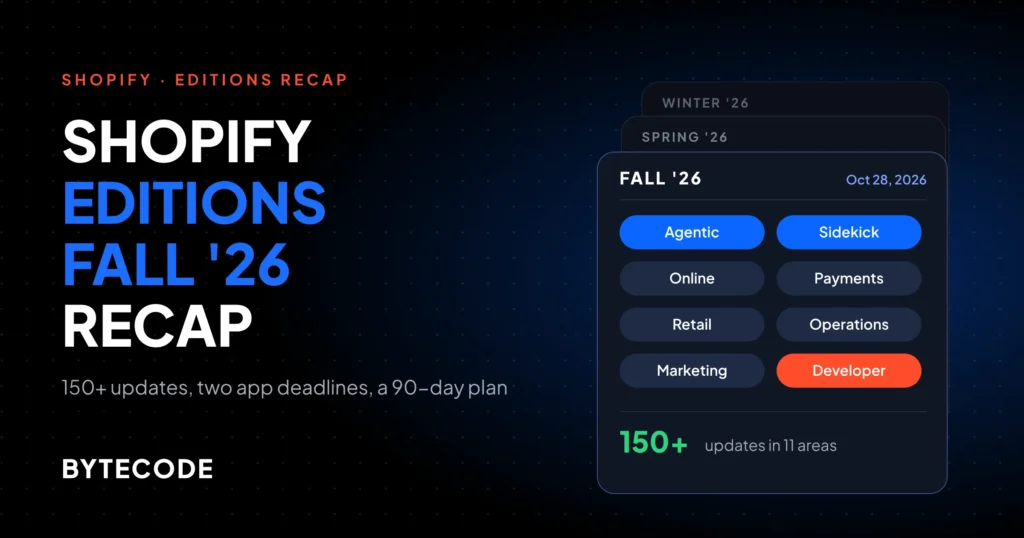
Sidekick is the one that changed most this year. Per Shopify’s Sidekick help page, it now plans multistep tasks, writes and runs its own code to forecast or summarise store data, builds Shopify Flow workflows, generates custom apps and searches the web with cited sources. Every change still waits for your review. On the Fall ’26 Edition page, Shopify adds that Sidekick can now stage several changes at once and test proposed storefront changes with SimGym, and that daily Sidekick sessions grew 4.2x year over year.
The Shopify Magic features are smaller: a Generate text button in product, page, blog, Messaging email and theme editor fields, theme blocks from a prompt, image editing in the file editor, category suggestions and plain-language segment descriptions. Their history and limits are in our Shopify Sidekick and Shopify Magic guide.
| Built-in tool | Where you find it | Which of the 10 uses it covers |
|---|---|---|
| Sidekick | Purple icon on any admin page, or the Shopify mobile app | Content, forecasting, merchandising, analytics, pricing advice |
| Generate text (formerly Shopify Magic) | Product description, page, blog and Messaging email editors | Product descriptions, email copy |
| Search & Discovery app | Apps > Search & Discovery | Semantic search, recommendations, filter sorting |
| Inbox agent | Inbox page in the admin | Customer support and pre-sale questions |
| Shopify Smart Pricing | Free Shopify-built app | Price suggestions and US price tests |
| Shopify Protect | On by default with Shopify Payments | Fraud blocking, risk explanations, dispute responses |
From our team: save repeat requests as Sidekick skills. Write the prompt once (“orders unfulfilled over 48 hours, grouped by location”), save it, and the whole team gets the same answer every Monday. A saved skill beats a dashboard nobody opens.
The 10 uses at a glance: effort and expected impact
Here is the whole list on one page. Effort is our judgement of setup time for a store doing $500k to $10M a year on an Online Store 2.0 theme. Impact is a published figure where one exists, and our estimate where it does not.
| # | Use | Start with | Effort | Expected impact |
|---|---|---|---|---|
| 1 | Product descriptions | Generate text, Sidekick | Low | Hours saved per launch; small SEO gain (our estimate) |
| 2 | Recommendations | Search & Discovery | Low | More items per order on top sellers (our estimate) |
| 3 | Search | Semantic search | Low | +8% add-to-carts from search after Shopify’s Fall ’26 change |
| 4 | Demand forecasting | Sidekick code | Medium | Fewer stockouts on top SKUs (our estimate) |
| 5 | Customer support | Inbox agent | Medium | Shop-signed-in shoppers convert up to 1.5x higher in Inbox chats |
| 6 | Pricing | Smart Pricing | Medium | Margin on a handful of tested SKUs (our estimate) |
| 7 | Fraud | Shopify Protect | Low | 60% more “product not received” disputes won, per Shopify |
| 8 | Messaging + segments | Low | Faster campaign production (our estimate) | |
| 9 | Merchandising | Sidekick, collections | Medium | Better collection order on large catalogs (our estimate) |
| 10 | Analytics | Sidekick, AI connectors | Low | Faster answers, fewer exports (our estimate) |

The cheap, high-impact corner (search, recommendations, fraud) is all switches inside free Shopify tools. Forecasting and pricing, the uses people get most excited about, sit in the middle because they need clean data and a human check.
1. AI product descriptions on Shopify: fast drafts, human facts
AI product descriptions are the easiest place to start, and also where we see the most avoidable mistakes. Click the Generate text icon in a product’s description field, or ask Sidekick, and you get a draft in seconds. On a 40-product seasonal drop, that turns a day of writing into an afternoon of editing. But the AI doesn’t know your product. It fills gaps with plausible claims, and “machine washable” on a dry-clean-only jacket becomes a return.
Our rules:
- Feed it facts first. Fill in materials, dimensions and care in metafields, then generate. The output is only as specific as the input.
- Write the first five by hand and save them in a Sidekick skill as the tone reference.
- Check every claim on supplements, children’s products and anything with safety wording. That liability is yours.
- Remember AI shopping agents read your catalog too. The Fall ’26 Edition added a place to review the store facts shared with agents. Factual product data now sells in more than one place.
Effort: low. Impact: mostly time saved; any SEO gain comes from the added detail, not the AI (our estimate).
2 and 3. AI product recommendations and search: the cheapest wins
These are the lowest-effort uses here, because both sit in the free Search & Discovery app. If you only do two things from this post, do these.
2. Product recommendations
Shopify generates “related products” for every item from purchase history, then the product description (English storefronts only), then related collections, per its product recommendations guide. “Complementary products” you pick by hand, up to 10 per product, under Apps > Search & Discovery > Product recommendations. Your product template needs a complementary products block to show them.
Shopify doesn’t publish a current results figure here, so the impact is our estimate: a modest lift in items per order where you set complementary picks, a nudge rather than a new revenue line. The 30-minute job we do on most stores is setting complementary products on the top 20 sellers. Automatic related products handle the long tail.
3. Search
Semantic search lets shoppers type “something warm for hiking” and get fleece jackets. Turn it on under Search & Discovery > Settings > Search relevance. Check the limits on Shopify’s search help page before you count on it: English storefronts only, fewer than 200,000 products, Shopify’s native search results page, and not the Basic plan. It also does not apply to predictive search, the dropdown that appears while people type.
That dropdown got its own upgrade: Shopify’s Fall ’26 Edition page says better typing suggestions improved add-to-carts from search by 8%.
AI does not replace the boring work. Pull last month’s searches with no results from Analytics and fix them with synonyms (up to 20 terms per group) and product boosts (up to 10 search terms per product). That one list usually shows more about catalog gaps than any AI report.
Watch out: many third-party search apps replace Shopify’s native results page. Install one and semantic search, synonyms and boosts stop applying. Decide which engine owns search before you configure either.
Effort: low for both. Impact: sourced for search, our estimate for recommendations. We rank these and five other storefront uses by payback in our AI in ecommerce use case guide.
4. Demand forecasting with Sidekick’s code tool
Shopify has no dedicated forecasting screen, but Sidekick can now write and run code against your store data to forecast, compare or summarise, per its help page. In practice that means you can ask “project units sold for my top 30 SKUs over the next 8 weeks using the last two years of orders, and flag any that will run out before my reorder lead time of 21 days,” and get a table back.
Useful, but built from order history only. It doesn’t know your supplier closes for Lunar New Year or that last November was inflated by a one-off wholesale order. Tell it, and check its method before you place a purchase order. Once you run several warehouses, bundles that consume components, or lead times above 60 days, a dedicated planning app or a model fed from your ERP beats a chat forecast.
Effort: medium, mostly data cleanup. Impact: fewer stockouts on top SKUs (our estimate; Shopify publishes no figure).
5. Customer support with the Inbox agent
Shopify’s answer to support AI is the Inbox agent, which chats with shoppers about products, shipping, returns, sizing and policies. Per Shopify’s Inbox agent help page, you set its persona and training from the Inbox page in the admin and choose which conversations it takes. Existing Inbox conversations stay with staff until you turn it on.
It answers from your catalog, policies, knowledge base and storefront pages, so the quality ceiling is your content. If your returns policy says “within a reasonable time,” so will the agent. Shopify’s Fall ’26 Edition page says shoppers signed in with Shop convert up to 1.5x higher in Inbox chats, which is Shopify’s best case on its own channel. If your support runs in Gorgias or Zendesk, with refunds and carrier lookups, use that helpdesk’s AI agent instead and check whether it bills per resolution before your first busy month. We compare the options in AI shopping assistants on Shopify.
Effort: medium, mostly rewriting policies. Impact: sourced for chat conversion; deflection depends on your ticket mix.
Not sure which of these ten to switch on first?
Send us your store URL and your three biggest operational headaches, and we will tell you which are covered by tools you already pay for and which need building.
Book a 30-minute AI audit
6 and 7. Pricing and fraud: the money-side uses
Both touch money directly, at opposite ends of the risk scale. Shopify’s fraud AI is close to set-and-check. Pricing AI should never run unsupervised.
6. Pricing
Shopify Smart Pricing is a free app built by Shopify that suggests markups and markdowns. For existing products it looks at your sales, inventory, costs and seasonal demand. For new products it suggests a price from market and category data. US merchants can A/B test prices, and the Fall ’26 Edition puts the same models behind Sidekick’s pricing answers.
Use it on slow movers and new launches, not hero products. Test five to ten SKUs and compare margin, not just conversion: a lower price that converts better can still earn less. Selling in several markets? Fix price lists under Settings > Markets first.
Effort: medium. Impact: margin on tested SKUs (our estimate; no published figure).
7. Fraud
Shopify Protect was announced on October 28, 2026, and is on for every business using Shopify Payments, per Shopify’s announcement, though the Edition page notes some features are still rolling out. It blocks card-testing bots and near-certain fraud before payment reaches the bank, explains each order’s risk in plain language, and builds dispute evidence from card network rules and carrier delivery photos. You add what only you have, such as a packed-box photo. Eligible Shop Pay orders disputed as fraud are covered by Shopify.
The numbers are Shopify’s own: a $100 dispute costs a business about $238 all in, and the Edition page says merchants won 60% more “product not received” disputes with Protect. A separate Rule Builder app tests custom rules against your last 90 days of orders; the announcement listed it as waitlist access.
Effort: low. Review risk explanations weekly and attach evidence fast. Impact: sourced. Our Shopify fraud prevention checklist covers the non-AI side.

8 to 10. Email, merchandising and analytics with Shopify AI tools
These three save your team hours rather than adding revenue directly. Shopify publishes no impact figure for any of them, so these are our estimates.
8. Email
Generate text works inside Shopify Messaging emails, Shopify describes each customer segment in plain language (handy when the person who built a six-filter segment has left), and the cohort report projects spend per customer. A small team can segment and draft a campaign in an hour. AI won’t fix a weak offer. If your flows live in Klaviyo, use its AI instead, since that is where your data is. Effort: low.
9. Merchandising
Per the Fall ’26 Edition, Sidekick can build multi-source collections and test proposed storefront changes with SimGym before you publish. Search & Discovery can also sort filter values. Treat a SimGym result as a hypothesis for a real test, not proof: simulated shoppers are not your shoppers. Effort: medium.
10. Analytics
The use we’d give every owner on day one. Ask Sidekick “which products had falling repeat-purchase rates this quarter, and what share of revenue are they?” and it writes and runs the code. You can also connect your store to ChatGPT, Claude, Gemini or Copilot, choosing what each can access. Effort: low. Spot-check one number against Analytics before it goes in a board deck.
A 90-day rollout, worked through
Here is how we would sequence this for a hypothetical store: outdoor apparel on the Grow plan, $1.2M a year in revenue, 900 products, one warehouse, a three-person team, about 40 chargebacks a year averaging $80, English storefront, native search, Shopify Payments.
- Weeks 1 to 2: switch on what is free. Turn on semantic search, set complementary products on the top 20 sellers, fix the top 25 zero-result searches with synonyms, and save two or three Sidekick skills for the reports the team asks for every week.
- Weeks 3 to 6: content and support. Rewrite returns, shipping and sizing pages as plain facts, then turn on the Inbox agent for pre-sale questions.
- Weeks 7 to 10: money. Review Protect’s risk explanations weekly. Run Smart Pricing tests on eight slow-moving SKUs.
- Weeks 11 to 13: planning. Run a Sidekick forecast on the top 50 SKUs ahead of the spring buy, and compare it to what your buyer would have ordered anyway.
The fraud line is the easiest to size. Using Shopify’s figure that a $100 dispute costs about $238 in total, this store’s 40 disputes at $80 cost roughly 40 × $80 × 2.38, or about $7,600 a year. Preventing or winning a quarter of them is worth about $1,900, for almost no setup. Search is harder. If search-assisted sessions drove a quarter of revenue ($300,000) and Shopify’s 8% add-to-cart lift carried fully through to orders, the ceiling is about $24,000 a year. It won’t carry through fully, so plan with a fraction.

Nothing in that plan is custom, on purpose. Custom work makes sense from month four, once you know where the built-in tools stop. Typical cases: an agent that answers “where is my order” from your 3PL’s data, a nightly job that writes copy from a PIM in four languages with compliance rules, or a forecast fed from NetSuite. That is the work our shopify ai solutions team does, and we’ve built for brands like EcoFlow, Delsey and Kerbholz.
Frequently asked questions
How can AI increase Shopify sales?
AI increases Shopify sales mainly by helping shoppers find the right product faster, through semantic search, recommendations and chat. Shopify says better search suggestions raised add-to-carts from search by 8%, and that Shop-signed-in shoppers convert up to 1.5x higher in Inbox chats. Fraud tools protect revenue you’ve already earned. Content and analytics AI mostly save staff time.
What AI features does Shopify have built in?
Shopify has Sidekick, an admin assistant that can analyse data, draft content, build Flow workflows and generate apps, plus Generate text for descriptions and emails, semantic search and automatic recommendations in Search & Discovery, the Inbox agent for customer chat, Smart Pricing for price tips and Shopify Protect for fraud. Availability varies by plan and language.
Do I need a paid app to use AI on Shopify?
No, you can start without one. Many of Shopify’s admin AI features are free, the Search & Discovery and Smart Pricing apps are free Shopify apps, and Shopify Protect runs at no extra cost for stores on Shopify Payments. Paid apps make sense when you need a specific helpdesk, email platform or search engine that Shopify’s tools don’t replace.
Should I use AI to write my Shopify product descriptions?
Yes, as a first draft, as long as a person checks every fact. AI copy is fast but fills gaps with plausible claims, so enter materials, dimensions and care details first, write a few descriptions by hand as a tone reference, and review regulated or safety-related products line by line before you publish anything.
Does Shopify’s semantic search work for every store?
No. Semantic search works only on English storefronts with fewer than 200,000 products that use Shopify’s native search results, and it is not available on the Basic plan. It also does not power predictive search. If a third-party search app replaces your results page, Shopify’s semantic search, synonyms and boosts no longer apply.
When does a Shopify store need custom AI instead of apps?
A store needs custom AI when the job crosses systems Shopify can’t see, such as an ERP, PIM, 3PL or helpdesk, or must apply your own rules at volume, like multilingual copy from a PIM with compliance checks. For single-store admin tasks, Sidekick and the built-in tools are usually enough.
What we’d do first
Spend one afternoon in your own admin before you spend a dollar. Switch on semantic search if you qualify. Fix the top ten zero-result searches. Set complementary products on your best sellers. Then ask Sidekick three questions you currently answer with a spreadsheet, and check its numbers.
That covers four of the ten uses in a few hours. After a month, look at what is still manual. If it lives inside Shopify, there is probably a setting or a Sidekick skill for it. If it crosses into your ERP, warehouse or helpdesk, that is where an app or a custom build earns its fee, and where our Shopify AI development team can help you scope it properly.