On this page
- What Shopify AI personalization actually covers
- The first-party data you need before any AI
- Privacy and consent: wire up the Customer Privacy API first
- Build five Shopify customer segments that do real work
- Personalize the homepage without rebuilding the theme
- Search: the cheapest personalization win most stores ignore
- Email: where segments pay back fastest
- Measuring it honestly, and the small-store problem
- The 90-day Shopify AI personalization rollout plan
- Frequently asked questions
- What we’d do first
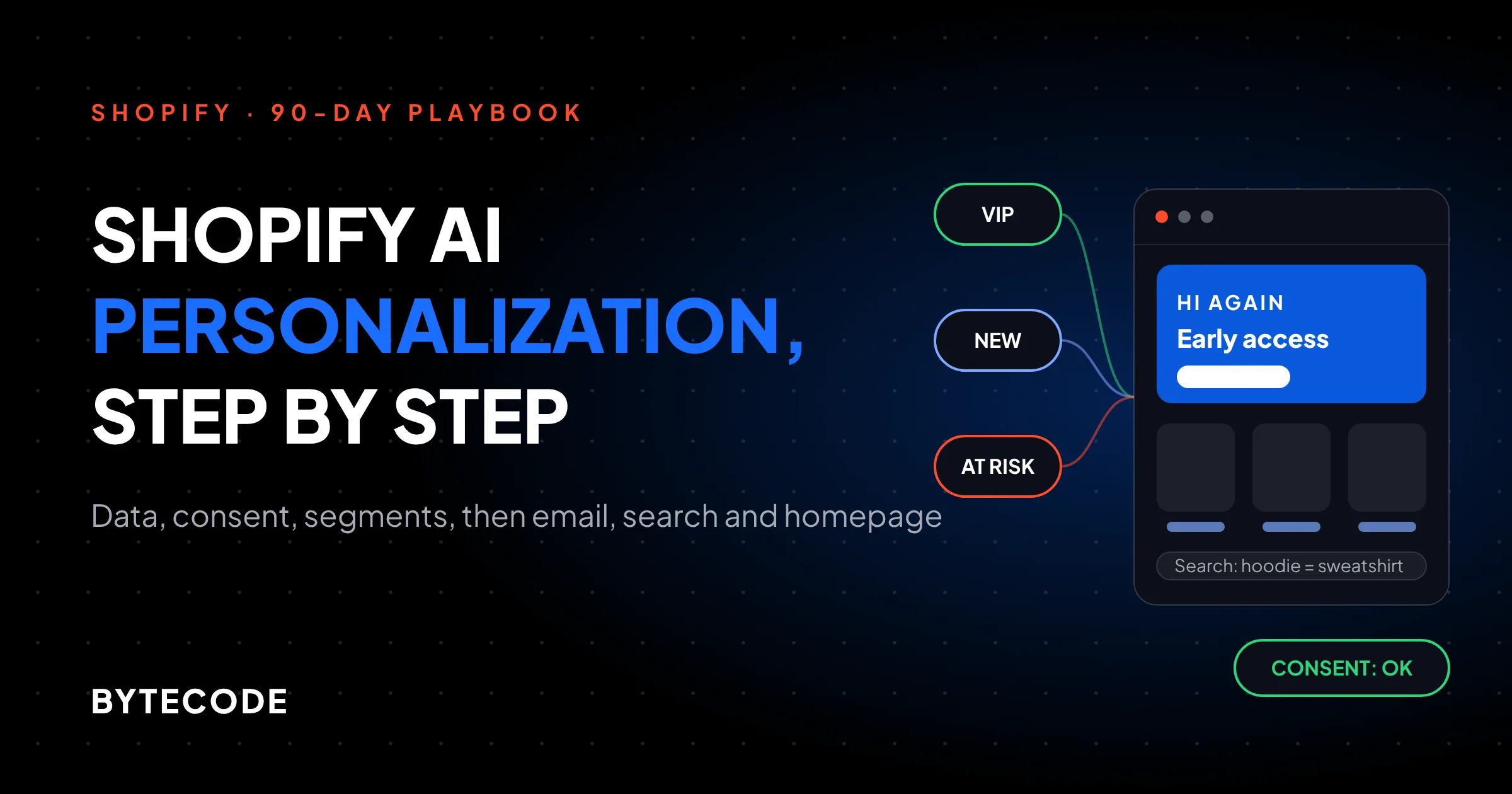
Shopify AI personalization works best when you build it in order: clean first-party data, a consent check through Shopify’s Customer Privacy API, five or six customer segments, then personalized email, search and homepage content, with a holdout group so you can tell what is actually earning money. Most stores do it backwards. They install a recommendation app, watch a dashboard claim credit for every sale, and never find out whether anything changed.
This playbook is the order we follow. It uses what Shopify already gives you (segments, Search & Discovery, Shopify Messaging, Flow, Liquid) and treats paid AI apps as something you add once you can measure them. Platform details were checked against Shopify’s documentation in November 2026.
Key takeaways
- Personalization is a data and consent project first. If your orders, product tags and email consent are messy, no model will fix it.
- Shopify’s segment editor already includes RFM groups and a predicted spend tier. The spend tier only appears once a store has more than 100 sales.
- Gate anything that stores or reads browsing behaviour behind the Customer Privacy API, and only record consent when a visitor actually clicks something.
- Email to segments pays back fastest. Search fixes come second and cost almost nothing.
- Below roughly 50,000 sessions a month, you cannot prove a modest on-site lift with an A/B test in a reasonable time. Use rules and email holdouts instead.
What Shopify AI personalization actually covers
On Shopify, personalization means changing what a shopper sees (products, copy, offers, search results, emails) based on what you know about them. The “AI” part is usually one of three things: Shopify’s own predictions inside segments, machine-learned recommendations and search, or a third-party app that picks content per visitor.
Split it by surface, because each has different data needs and payback speed:
- Email and SMS. Known customers, high intent, easy to measure. This is where we start.
- Site search. Every searcher has told you what they want, and fixing results needs no customer data.
- Product recommendations. Related and complementary products on product pages and in the cart.
- Homepage content. Hero banners and featured collections that change for returning, VIP or lapsing customers.
Is ecommerce personalization worth the effort? McKinsey’s widely quoted cross-industry research found that personalization most often drives a 10 to 15 percent revenue lift, with company-level results ranging from 5 to 25 percent. But that study dates from November 2021 and describes companies doing it well across every channel. Treat it as a ceiling, not a forecast for installing one app.
Not sure which built-in AI you already have? Our review of Shopify Sidekick and Shopify Magic covers it.
The first-party data you need before any AI
You need four kinds of data: orders, browsing events, email engagement and what customers tell you directly. Shopify collects the first three. Most stores never capture the fourth.
Here is what the segment editor can read today, taken from Shopify’s segment filter reference:
| Data type | Segment filters that use it | What to check first |
|---|---|---|
| Orders | number_of_orders, amount_spent, last_order_date, products_purchased, rfm_group, predicted_spend_tier |
Product tags are consistent, so “bought from the coffee range” is one tag, not five spellings |
| Browsing | storefront.product_viewed, storefront.collection_viewed, abandoned_checkout_date |
Storefront events go back 26 months, with data from May 2023 |
| Email engagement | shopify_email.opened, shopify_email.clicked, email_subscription_status |
Covers Shopify’s own email tool, with 26 months of history |
| Declared (zero-party) | Customer metafields, customer_tags, anniversary (for example a birth date metafield) |
Quiz or account answers are written to a defined metafield, not a free-text note |
Two of those filters are already “AI” in the sense most people mean. rfm_group sorts customers into groups like Champions, Loyal, At risk and Dormant based on recency, frequency and spend. predicted_spend_tier labels customers High, Medium or Low, but Shopify only offers it once your store has made more than 100 sales.
Declared data is where small effort goes far. A three-question quiz (“What do you brew with?”) that writes answers to customer metafields often beats a month of browsing data, because the customer told you directly. If you have not set metafield definitions up properly before, our Shopify metafields guide walks through the structure.
From our team: before building a single segment, open your product list and sort by tags. On most stores we audit, the first personalization blocker is not missing AI. It is tags like “Coffee”, “coffee-beans” and “Beans” all meaning the same range, which makes every purchase-based segment quietly wrong.
Privacy and consent: wire up the Customer Privacy API first
Consent comes before personalization because the same data that powers it is what privacy law regulates. On Shopify, the tool for this is the Customer Privacy API, a browser JavaScript API that tells you whether a visitor allows processing for analytics, marketing and preferences, and whether they have opted out of the sale of their data.
You do not have to work out the rules yourself. The check methods (analyticsProcessingAllowed(), marketingAllowed(), preferencesProcessingAllowed() and saleOfDataAllowed()) combine your store’s privacy settings, the visitor’s location and the choice they made. In regions set to require consent, non-essential purposes stay off until the visitor agrees, and Global Privacy Control signals are honoured automatically where sale-of-data opt-outs apply.
For personalization, map each feature to a purpose:
- Preferences: recently viewed products, remembered sizes, a “welcome back” hero for anonymous returning visitors.
- Analytics: measuring which personalized block gets clicked.
- Marketing: retargeting audiences and anything shared with ad platforms.
Here is the pattern we use for a recently viewed strip. It checks the preferences purpose once on load, then listens for visitorConsentCollected, which fires only when consent changes:
function showRecentlyViewed() { /* read localStorage, render cards */ }

function checkConsent() {
  const cp = window.Shopify && window.Shopify.customerPrivacy;
  if (cp && cp.preferencesProcessingAllowed()) showRecentlyViewed();
}

window.Shopify.loadFeatures(
  [{ name: 'consent-tracking-api', version: '0.2' }],
  (error) => { if (!error) checkConsent(); }
);

document.addEventListener('visitorConsentCollected', (event) => {
  if (event.detail.preferencesAllowed) showRecentlyViewed();
});
Watch out: Shopify’s documentation is explicit that you should only call setTrackingConsent() after a visitor’s direct action, such as clicking Accept or Decline, and never read or write Shopify’s consent cookies yourself. We still find personalization apps and custom banners that set consent to “yes” on page load. Remove that before anything else.
Your banner and regional settings live under Settings > Customer privacy in the admin. If a third-party app runs your banner, check that it passes choices through to the API, otherwise Shopify’s pixels and your own code will be working from different answers. Have counsel confirm which regions need consent.
Build five Shopify customer segments that do real work
Start with five Shopify customer segments, each tied to one action you will actually take. A segment nobody targets is just a saved search. You build them under Customers > Segments, either from templates or in the editor, which uses ShopifyQL with a WHERE clause you edit (Shopify’s segment help page covers the editor and templates).
These are the five we set up first on almost every store:
-- 1. First-time buyers: push the second order
number_of_orders = 1

-- 2. Repeat customers who have gone quiet
number_of_orders >= 2 AND last_order_date < -90d

-- 3. Likely high spenders
predicted_spend_tier = 'HIGH'

-- 4. At risk of churning
rfm_group = 'AT_RISK'

-- 5. Subscribed to email, never bought
email_subscription_status = 'SUBSCRIBED' AND number_of_orders = 0
Change the 90 days to match your buying cycle. A coffee brand might use 45 days. A mattress brand should ignore segment 2 entirely and build around referrals and accessories.
Sidekick can draft segments from plain English and show the match count. We use it for first drafts, then read the query line by line.
Turn segments into tags the theme can read
Your theme cannot read segment membership directly, but it can read customer tags. A small Shopify Flow workflow that adds a tag such as seg-vip when a customer joins a segment, and removes it when they leave, gives Liquid something to work with. We cover the Flow side, including how to stop tag clutter, in our Shopify Flow workflows guide.

Personalize the homepage without rebuilding the theme
The simplest personalized homepage swaps one hero banner and one featured collection based on who is visiting. That needs three versions of a section and a few lines of Liquid, not a headless rebuild.
For logged-in customers, Liquid exposes the customer object, including tags. A snippet inside your hero section can branch on the tags Flow maintains:
{%- if customer and customer.tags contains 'seg-vip' -%}
  {% render 'hero-vip' %}
{%- elsif customer and customer.orders_count == 1 -%}
  {% render 'hero-second-order' %}
{%- else -%}
  {% render 'hero-default' %}
{%- endif -%}
Keep the default version as the one you would show everyone anyway. Variants should be small and specific: a VIP sees early access to a new drop, a first-time buyer sees the refill that usually comes second. Write that copy yourself. This is not where we let a model improvise.
Most visitors are anonymous. What works without a login:
- Recently viewed products, stored in the browser and gated on the preferences check above.
- Country, through Markets and the
localizationobject, for shipping messages, currency and region-specific ranges. - Campaign landing context, such as a UTM parameter that swaps the hero for visitors from one ad.
Where we would stop: per-visitor AI layouts that reshuffle the whole homepage. They are hard to QA, and most stores lack the traffic to prove they beat a good default. An assistant that adapts in conversation is a different build, covered in our post on AI shopping assistants on Shopify.
Search: the cheapest personalization win most stores ignore
Search is personalization by intent: the shopper typed what they want, and your only job is to show it. Shopify’s free Search & Discovery app handles most of it, and the fixes usually take an afternoon.
Start with your store’s search reports under Analytics, pull out the searches that return no results or get no clicks, and work down the list. Then use the three levers in the app, each documented on Shopify’s search settings page:
- Synonyms under Search & Discovery > Search > Synonyms. Groups hold up to 20 terms, with up to 1,000 synonyms per store. Add the words customers use, not the words your product team uses (“hoodie” and “sweatshirt”, “pram” and “stroller” for a UK and US audience).
- Product boosts under Search > Product boosts, with up to 10 search terms per boost. Boost one or two products per term at most. Boost ten and you have buried everything else.
- Semantic search under Settings > Search relevance. This is the AI part: it matches meaning, not only keywords. Shopify limits it to English storefronts with fewer than 200,000 products, on plans above Basic, and it does not apply to predictive search (the dropdown).
Product recommendations sit in the same app. Shopify generates related products automatically from purchase history, then English product descriptions, then related collections when there is no sales history. Complementary products you pick by hand, up to 10 per product, per the recommendations help page. Set complementary products for your top 20 sellers first. That covers most of your traffic, and it is the one recommendation type Shopify will not guess for you.
Email: where segments pay back fastest
Email is the easiest surface to measure and the quickest to pay back, because every recipient is known. If you only do one surface this quarter, do this one.
Shopify Messaging, Shopify’s own email and SMS app, sends campaigns and automations to the segments you built above. On its App Store listing in November 2026, the first 10,000 emails a month are free, then pricing starts at $1 per 1,000. AI features write subject lines and body copy and suggest send times. Klaviyo and similar tools give finer control for complex lifecycles, but for a store with a few thousand customers, Shopify’s own tool is usually enough.
The flows we would build, in order:
- Second-order nudge to segment 1, timed to your typical gap between first and second order.
- Win-back to segment 2, with a reason to return (new range, restock) before you reach for a discount.
- Browse abandonment using storefront product views, only for subscribers who have given marketing consent.
- VIP early access to segment 3, which costs you nothing and is often the best-performing campaign of the month.
For each flow, hold back 10% of the segment and send them nothing. Compare revenue per customer between the two groups after 30 to 60 days. That separates what the email caused from what those customers would have bought anyway.
Want this playbook mapped to your own store?
Send us your store URL and order volume, and we will tell you which segments and surfaces to start with, and which AI apps you can skip for now.
Book a personalization review
Measuring it honestly, and the small-store problem
Measure personalization with holdout groups, not app dashboards. Many apps report “influenced revenue”, counting any order where a shopper saw a personalized block, which rises whether or not the block changed anything.
The harder truth is about traffic. Here is a hypothetical example using a standard sample-size rule of thumb (80% power, 5% significance). Say your store converts at 2% and you want to detect a 10% relative lift, from 2.0% to 2.2%. You need roughly 78,000 sessions in each group, so about 157,000 in total.

At 10,000 sessions a month that is well over a year. At 50,000 it is about three months. That does not mean small stores should skip personalization. It means picking changes that are sensible on their own (better search results, the right accessory on a product page) and saving formal tests for email, where lifecycle messages tend to move behaviour more than a swapped banner does.
Track three numbers for every personalized surface: revenue per visitor (or per recipient) against the holdout, the share of traffic that actually sees a personalized version, and the unsubscribe or complaint rate. If the second number is tiny, the feature does not matter yet. Our shopify ai solutions work usually starts with exactly this measurement setup, because without it nobody can say which parts are worth keeping.
The 90-day Shopify AI personalization rollout plan
Ninety days takes you from nothing to a measured, consent-safe setup across email, search and the homepage, assuming one marketer and part-time developer help. Do not start a phase until the previous exit test passes.
| Weeks | Focus | What ships | Exit test |
|---|---|---|---|
| 1–2 | Data and consent audit | Product tags cleaned, customer metafield definitions, banner settings checked, theme code reviewed for auto-consent | Customer Privacy API checks return the expected values in an EU and a US test session |
| 3–4 | Segments | The five core segments, Flow tagging for VIP and first-time buyers, a short quiz writing to metafields | Segment counts look right against a manual spot check of 20 customers |
| 5–6 | Second-order and win-back flows, VIP early-access campaign, 10% holdouts on each | Flows live, holdouts recording, no rise in unsubscribes | |
| 7–8 | Search and recommendations | Synonyms for top failed searches, a few boosts, semantic search where your plan allows, complementary products on top 20 sellers | Fewer searches with no results in your Analytics search reports |
| 9–10 | Homepage | Hero variants for VIP, first-time and default, consent-gated recently viewed strip, country messaging | All variants QA’d logged in, logged out, and with consent declined |
| 11–12 | Read the results | Holdout comparison for each email flow, search before-and-after, share of traffic seeing personalized content | A keep, change or kill decision written down for each item |
| 13 | Decide on AI apps | A shortlist of one or two paid tools, only for gaps the native setup could not cover | The app can run against a holdout, and you know which consent purpose it needs |

Notice where AI apps sit: week 13. By then you know your segments, your consent setup and your baseline, so you can judge a vendor’s demo against your own numbers instead of theirs.
Frequently asked questions
How do I personalise a Shopify store?
Start by cleaning your product tags and customer data, then set up consent through Shopify’s Customer Privacy API. Build five customer segments under Customers > Segments, send each one a targeted email flow, fix site search with Search & Discovery, and add homepage variants for logged-in customers using tags. Keep a holdout group so you can measure the real effect.
Does AI personalisation work for small stores?
Yes, but mostly through email and search rather than on-site AI. Shopify’s predicted spend tier needs more than 100 sales, and automatic recommendations depend on purchase history. Small stores also rarely have the traffic to prove an on-site lift. Rule-based segments, good search synonyms and hand-picked complementary products give small stores most of the benefit at no extra cost.
Do I need Shopify Plus for personalization?
No. Customer segments, Search & Discovery, Shopify Messaging, Flow and Liquid personalization all work on standard plans. Semantic search is not available on Basic, according to Shopify’s help pages. Plus matters mainly when you want personalization inside checkout or more advanced custom logic, which most stores do not need in their first 90 days.
Does website personalization need cookie consent?
Often, yes, depending on where your visitors are and what data you use. Features that store browsing history or share data with ad platforms usually fall under preferences, analytics or marketing consent. Shopify’s Customer Privacy API tells you whether each purpose is allowed for the current visitor, based on your settings and their location. Have a lawyer confirm your regional requirements.
Can Shopify Sidekick create customer segments?
Yes. You can describe a group in plain English, and Sidekick writes the segment query and shows how many customers match. You then open it as a new segment, review it and save it. Always read the generated query before using it, because a slightly wrong filter will send the wrong offer to real customers.
How long does Shopify personalization take to show results?
Email flows to segments usually show a measurable difference against a holdout within 30 to 60 days. Search fixes show up in your search reports within a few weeks. On-site changes take longest to prove, and at 2% conversion you need about 157,000 sessions to detect a 10% lift, so smaller stores may never get a clean answer.
What we’d do first
This week, do three things. Sort your products by tag and merge the duplicates. Open your theme code and search for setTrackingConsent to make sure nothing grants consent without a click. Then build the “first-time buyers” segment and send them one good second-order email with a 10% holdout.
Not glamorous, and not much AI. But every later step depends on clean data, honest consent and a holdout habit. Skip them and you end up paying for an app you cannot measure, running on tags that do not mean what you think.
Shopify AI personalization done in this order is cheap to start and easy to keep honest. We have built Shopify stores for brands like Delsey, EcoFlow, Kerbholz and MyHarry, and when a store is ready for custom models, predictive segments or AI search beyond what Shopify ships, that is the work our Shopify AI and intelligence team takes on.