
On this page
- Chatbot UX best practices start with the intent, not the widget
- Where an ecommerce chatbot should sit, and when it should stay quiet
- Order tracking chatbot flows: identify, fetch, answer
- Product finder chats: fewer questions than a quiz
- Returns and exchanges: the bot explains, your rules decide
- Tone of voice: friendly in browsing, plain in problems
- Chatbot error messages that keep the sale
- Chatbot handoff to human: the rules we set by default
- Do ecommerce chatbots increase sales? How to measure it honestly
- Frequently asked questions
- What we’d do first
The chatbot UX best practices that matter on a store are narrow ones: answer order and returns questions from real order data in one turn, keep product-finder chats to two or three questions before showing products, write error messages that offer a next step, and hand over to a person the moment money, a damaged item or frustration shows up. Get those four right and the tone, the avatar and the launcher color barely matter.
Shoppers have said where they want the bot. In Baymard’s 2026 survey of US online shoppers, most preferred AI chat for comparing features and checking stock, and about two in three preferred a human for late, damaged or wrong orders. That split is the design brief. The bot earns its place on research and routine lookups, and loses customers when it blocks the way to a person while an order is going wrong.
This guide stays ecommerce-only; the general principles (turn-taking, expectation setting, voice) are in our guide to conversational interface design principles.
Key takeaways
- Design by intent. Product research belongs to the bot, order problems belong to people, and order status sits in between.
- Order tracking should take one turn once the shopper is identified: status, date, carrier link. No “Let me check that for you” filler.
- A product finder should show products after two or three questions, not seven.
- The bot explains your return rules. It never invents an exception or promises a refund amount.
- Gartner found 87% of customers say a human option is essential when a company uses GenAI for service. Put the button where people can see it.
Chatbot UX best practices start with the intent, not the widget
Before anyone writes a greeting, sort your store’s questions into three buckets: ones the bot should own, ones it should start and then pass on, and ones that go to a person straight away. That sorting decides more about the experience than any visual choice.
The Baymard Institute’s AI engagement study (2,273 US shoppers, surveyed June 2026) gives the split. 63% of shoppers preferred an AI chatbot for comparing product features, 59% for checking stock and 56% for personalized recommendations. For damaged or incorrect items, 69% preferred a human. For late or missing orders it was 67%, and 66% for shipping or billing mistakes. Baymard reads this as shoppers treating AI as a research helper, not a place to fix problems.

This is the table we fill in during a first workshop. The rows change per store. The columns do not.
| Intent | Bot role | What it needs | Hand over when |
|---|---|---|---|
| Product questions, comparisons, sizing | Owns it | Live catalog, variant stock, size charts | Shopper asks for a person or for a custom order |
| Where is my order | Owns the lookup | Signed-in customer or verified order number | Order is late beyond the promised window or shows delivered but not received |
| Return or exchange | Explains rules, starts the request | Your return rules and the order’s delivery date | Item is damaged, wrong, or outside the rules |
| Discount and price questions | Answers from live data only | Active promotions from a tool, never model memory | Shopper disputes a charge |
| Billing errors, chargebacks, safety | Routes immediately | Order context to pass to the agent | Always |
Most stores find the bot should be very good at four or five things and polite about the rest. It is the first thing we map in any conversational ui design project.
Where an ecommerce chatbot should sit, and when it should stay quiet
Put chat where shoppers look for help (header, footer, help center, order status page) and let them open it. A bot that opens itself is one people learn to close.
Baymard’s live chat testing dates from 2019 but matches what we still see in session recordings. Site-initiated chat read as a distraction, and floating launchers on mobile covered swatches, filter buttons and search suggestions. Their advice: keep proactive prompts off filtering pages and checkout, show them once, and only after a delay. Our defaults on Shopify builds:
- Mobile launcher: small, and moved above the sticky add-to-cart bar. Test it against swatches and the cart drawer.
- No auto-open on checkout, cart or filters. At most one nudge on product pages after 30 to 45 seconds idle.
- Page-aware starters: “Will this fit me?” on product pages, “Start a return” on the order status page.
- An honest header: “AI assistant. A person can take over.” It does more for trust than any avatar.
From our team: test the launcher with a keyboard and screen reader too. Widgets that trap focus or hide behind the cookie banner are common failures.
Order tracking chatbot flows: identify, fetch, answer
An order tracking chatbot should identify the shopper safely, fetch the live order, and give the status, expected date and carrier link in a single reply. Everything else is padding.
Identification is the step most bots get wrong. Shopify’s own Inbox agent will only look up orders after the customer signs in, and it needs the newer customer accounts rather than legacy ones, per Shopify’s Inbox agent documentation. That is the right default. If you build your own, treat a bare order number as public, since it is printed on packing slips and forwarded in emails. Pair it with the checkout email, or send a one-time link.
Here is the shape we aim for. This and every other dialogue in this post is from a hypothetical store.
Shopper: where’s my order
Bot: I can check that. You’re signed in as j.***@gmail.com. Is it order #4182 from November 3?
Shopper: yes
Bot: It’s in transit with UPS and due Thursday, November 13. Last scan: Louisville, KY this morning. [Track on UPS] If it hasn’t arrived by Friday, tell me here and I’ll get a person on it.
No “Great question!”, no “Let me look into that”. Status and date come first, and the last sentence sets the next checkpoint.

The branches that need different wording
- Not shipped yet: quote the fulfillment promise from your shipping policy and offer the edits still possible (address, size, cancel). It is the cheapest moment to fix a mistake.
- Late: say so. “It’s two days behind the date we gave you” beats “Your order is on its way!”. Then offer a person.
- Delivered but not received: hand over. A bot loop here costs you the customer.
- Several open orders: show tappable cards with date and first item, not a request for an order number.
Watch out: never let the model produce a delivery date from its own reasoning. Dates come from the carrier or your fulfillment data, rendered as data. If there is no estimate, the bot says so and quotes the policy window instead.
Product finder chats: fewer questions than a quiz
A product finder chat should ask two or three questions, then show real products with a one-line reason each. Seven questions is a quiz, and quizzes deserve their own page.
Chat has one advantage over a quiz: shoppers describe what they want in their own words. Pull the obvious facets out of that first message instead of walking through a script.
Shopper: need a carry-on that fits under the seat on budget airlines, i pack light
Bot: Got it, under-seat size. Hard or soft shell?
Shopper: soft
Bot: Two that fit those dimensions:
1. Metro Underseat 16″, $129. Lightest one we sell, front laptop pocket.
2. Transit Duffel S, $95. Squashes flatter if the bin is tight. Only in black right now.
Want them side by side?
Prices and stock come from the catalog response, never model text, so a sale price is never stale (failure cases are in our post on AI shopping assistants on Shopify). Each pick gets one reason tied to what the shopper said, and the downside gets mentioned. In our experience a recommendation that admits “only in black” reads as more honest than one that doesn’t.
Returns and exchanges: the bot explains, your rules decide
A returns chatbot should check the order against your written rules, then either start the request or say clearly why it cannot. It never negotiates or promises a refund amount.
On Shopify, those rules live under Settings > Policies > Return and cancellation rules. According to Shopify’s return rules documentation, you can set a return window (none, 14, 30, 90 days, unlimited or custom), override it per collection, product or variant (the shortest wins on overlap), charge return shipping or a restocking fee, and mark items final sale. One detail matters for chat copy: return fees are not deducted from the refund automatically, staff do it manually. A bot that says “You’ll get $84 back” may be wrong.
Shopper: can I return the green hoodie, it’s too big
Bot: Yes. It was delivered October 29, so you have until November 28. Would you like an exchange for a smaller size or a refund? The medium in green is in stock.
Shopper: exchange
Bot: Done. I’ve started an exchange request for size M. You’ll get an email with the return label once our team approves it, usually within one business day.
Offer the exchange first when stock allows, because a size swap keeps the revenue. Be honest that a person approves the request. And for damaged or wrong items, skip self-serve and hand over: those are exactly the cases Baymard’s shoppers wanted a human for.
Watch out: an AI bot that improvises exceptions (“Sure, I can extend that for you!”) creates a promise your team must honor or break. Give the bot the rules as data and a clear line: outside the rules means a person decides.
Tone of voice: friendly in browsing, plain in problems
A store bot should sound like your best support person on a busy day: warm while someone browses, short and factual when something has gone wrong. One tone for everything is how bots end up cheerful about lost parcels.
We write a two-column tone sheet per brand. Shopping mode can carry the brand’s personality. Problem mode gets plain sentences, facts first, and an apology only when the store is at fault. “Sorry, that’s on us” once beats three rounds of “I apologize for any inconvenience”.
Disclosure is part of tone now, and in the EU it is law. Article 50 of the AI Act requires that people are told when they are talking to an AI system, unless it is obvious, and Morgan Lewis notes that duty has applied since 2 August 2026, untouched by the Digital Omnibus deferrals. Strictly it lands on the provider, often your chat vendor. We label the bot on every store anyway. It costs one line.
Chatbot error messages that keep the sale
Good chatbot error messages say what went wrong in plain words, keep whatever the shopper already typed, and offer one concrete next step. “Something went wrong, please try again” fails on all three.
Store bots hit five kinds of failure, and each needs its own wording:
| Failure | Weak message | Better message |
|---|---|---|
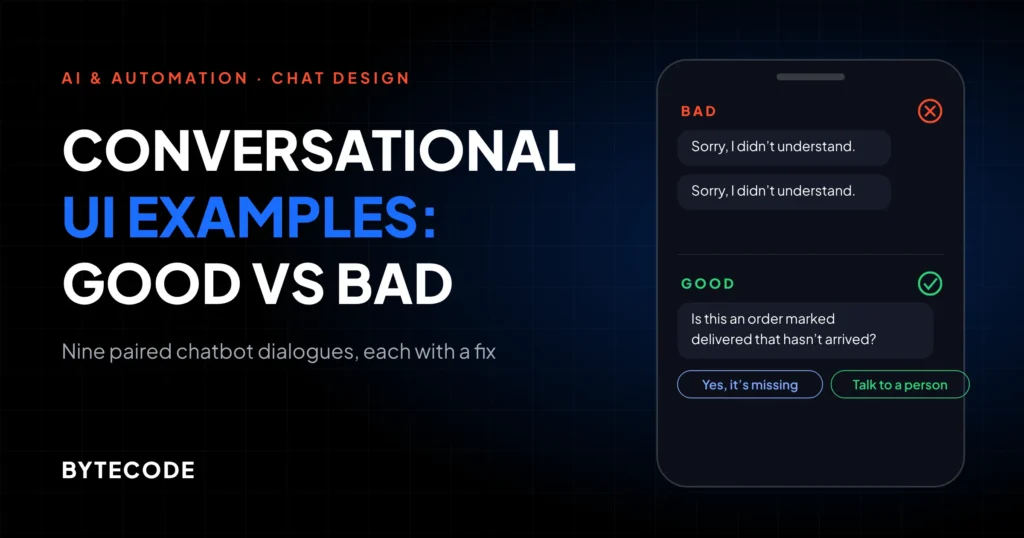
| Didn’t understand | “Sorry, I didn’t get that.” | “Do you mean tracking an order or finding a product?” plus two buttons |
| Can’t find the order | “Order not found.” | “I can’t find #4128 under this email. Was it placed with a different one? I can also get a person to look.” |
| Out of stock | “This item is unavailable.” | “The M is sold out. The L runs small and is in stock, or I can email you when the M is back.” |
| Out of scope | “I can’t help with that.” | “I can’t change payment details, but our team can. Want me to connect you?” |
| System down | “Error. Try again later.” | “Order lookup isn’t working right now. Leave your email and we’ll reply by 5pm ET today.” |
Two rules sit behind it. After two misunderstandings, offer a person. And when a tool call fails, the bot says so, because a model that cannot reach the order system may invent a plausible answer instead.
Gartner research reported by Destination CRM in October 2026 found only 27% of customers would try a chatbot again after a bad experience. You rarely get a second go, so we would rather launch a bot that does four things reliably than one that tries twenty.
Chatbot handoff to human: the rules we set by default
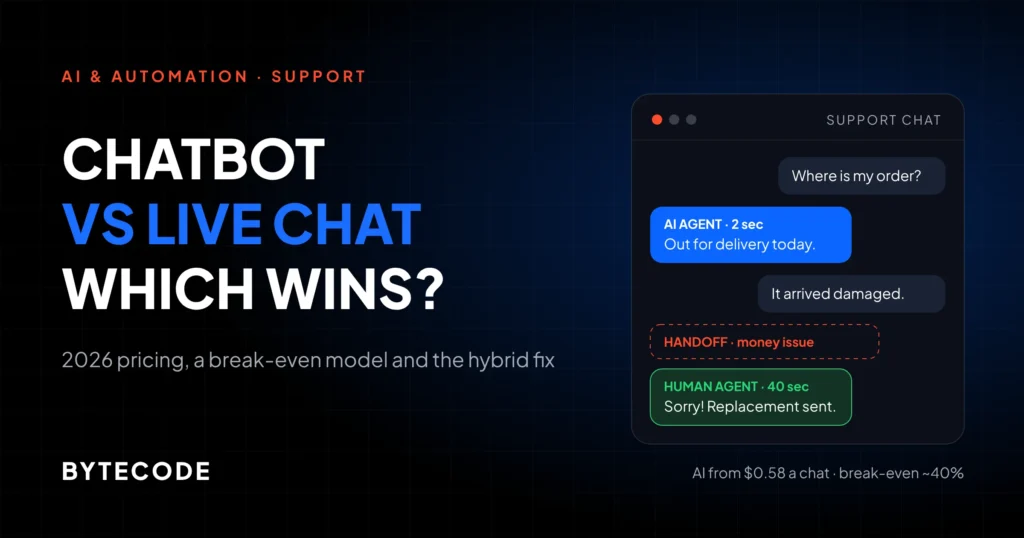
Hand over to a human when the shopper asks, when money or a damaged or missing item is involved, after two failed turns, or when frustration shows. Pass the order and transcript along so nobody repeats themselves.
In Gartner’s 2026 survey of 3,566 customers, 87% said an option to reach a person is essential when a company uses GenAI for service, and Gartner advises against making AI a required first step. We covered handoff mechanics for general websites in how to build an AI chatbot for your website. On a store, the triggers are more specific:
- The shopper asks. “Agent”, “human”, “call me”: first time, with no “Can I try one more thing?”
- Order problems. Damaged, wrong item, missing parcel, late beyond the promised window.
- Money disputes. Double charges, refunds not received, a discount that did not apply at checkout.
- Two failed turns. Two “didn’t understand” replies or a repeated question.
- Frustration or risk words. “Chargeback”, “scam”, “complaint”, allergy or safety mentions.
- High-value or bulk carts. Above a threshold you set, a person takes it. One lost $2,000 order costs more than ten minutes of agent time.

The handover message matters as much as the trigger. Say who is coming and when: “I’m passing this to our team with your order details. Someone usually replies within 10 minutes.” Out of hours, give a real time, not a typing indicator. Shopify’s Inbox agent, per the documentation above, carries its context over to staff and shares the store’s email when nobody is available.
Want your bot’s flows mapped before you buy a tool?
Send us your top 20 support questions and your current chat setup, and we will return an intent map, handoff rules and sample dialogue for your store.
Get a chatbot UX review
Do ecommerce chatbots increase sales? How to measure it honestly
They can, but most stores cannot prove it in a quarter, and the published evidence is correlation. Measure resolution and handoff quality first, and run a holdout test for a sales number you can defend.
In Salesforce’s 2025 holiday data, retailers running their own AI agents grew sales 6.2% year over year against 3.9% for those without, and agents handled 142% more tasks, such as address updates and return starts, than in the prior two months. That is an association, not proof that the bot caused the growth. Retailers investing in agents tend to invest in plenty else too.
A worked example (hypothetical)
Say your store gets 60,000 sessions a month at 2.0% conversion and a $70 average order. You hide the chat from half your sessions. In month one the control half makes 600 orders and the chat half 630, a 5% lift worth about $2,100.
Is that real? Probably not yet. At these volumes random variation alone is about 35 orders (the square root of 600 plus 630), so a 30-order gap sits inside the noise, and three months at the same rate still falls short of statistical confidence. What this store can see clearly is whether order-status chats end without a follow-up email. Our 90-day scorecard:
- Resolution without repeat contact: bot-handled chats with no follow-up on the same order within 72 hours.
- Handoff rate by intent: high on damaged items is fine; high on product questions means weak catalog data.
- Time to human after a request: anything over a minute in staffed hours needs fixing.
- Chat-assisted conversion, against the holdout: reported, but treated as directional until the sample is big enough.
- Transcripts: read 20 a week. They teach more than any dashboard.
Track containment (chats that never reach a person) but never make it the target. A bot can raise it by hiding the human, and the customers it “contains” are often the ones who leave. For logging, see our guide on LLM observability.
Frequently asked questions
Do ecommerce chatbots increase sales?
Ecommerce chatbots can increase sales, mainly by answering product and stock questions that would otherwise end a visit, but the public evidence is correlational. Salesforce’s 2025 holiday data showed retailers with their own AI agents growing sales 6.2% against 3.9% without. To know for your store, hide the chat from a holdout group and compare orders over several months.
When should a chatbot hand over to a human?
A chatbot should hand over to a human when the shopper asks for one, when an order is damaged, wrong, late or missing, when money is disputed, or after two failed answers in a row. The handover should pass the order details and transcript, and tell the shopper who will reply and roughly when.
Should a chatbot pop up automatically on my store?
Usually no, and never on checkout, cart or filtering pages. Baymard’s testing found unrequested chat prompts distracted shoppers and floating widgets hid swatches and filters on mobile. If you want a proactive prompt, show it once on product pages after a delay of 30 seconds or more, and let shoppers open chat themselves everywhere else.
How should a chatbot handle order tracking?
A chatbot should verify the shopper first, by sign-in or by order number plus checkout email, then reply in one message with the status, the expected delivery date and the carrier link. Dates must come from carrier or fulfillment data, never from the model. Late or missing parcels should go straight to a person.
Do I have to tell customers they are talking to a bot?
In the EU, yes: since 2 August 2026, Article 50 of the AI Act requires that people are told when they are interacting with an AI system, unless that is obvious. The duty falls on the provider, often your chat vendor, but we recommend labeling the bot on every store, because it costs one line and protects trust.
What we’d do first
Export three months of support emails and chats and tag the top 20 questions by intent. That afternoon shows which flows the bot should own, which need a person, and which need better data first. Then build in this order:
- Order status, with verified lookup and one-turn answers.
- Handoff rules, with context passed to staff and honest out-of-hours times.
- Returns, reading your live Shopify return rules, not a copy in a prompt.
- Product finder, once catalog, sizing and stock data are clean.
- Tone and error copy, tested against real transcripts.
Leave the avatar debate until those five work. A narrow bot that steps aside quickly beats a clever one that hangs on.
We have built ecommerce experiences for brands like Delsey, EcoFlow and Kerbholz. If you want help mapping these flows or writing the dialogue, or a review of the bot you already run, our chatbot and conversational UX design service covers exactly that.